Tasks.
Here’s the list of tasks completed:
- Task 0
- Task 1
- Task 2
- Task 8
- Task 9
- Task 10
- Task 14
Here’s my amfoss Github repository
” YOU DON’T HAVE TO BE GREAT TO START, BUT YOU HAVE TO START TO BE GREAT.”
– Zig Ziglar
How did i complete this?
Being a freshmen , it was difficult at the beginning. You’ve got to compete with the rest belonging to a Computer Science background, good at programming and adapting to new topics quickly. But as the say goes on..
“NOTHING WILL WORK UNLESS YOU DO.”
– Maya Angelou
Overview
Task 0: Install Ubuntu 18.04
Following are the steps:
- Downlaod the ISO file from the Ubuntu Website
- Create a Bootable Disk
- Once the ISO file is downloaded then next step is to burn the downloaded ISO image into the USB/DVD or flash drive to boot the computer from that drive.
- Boot from USB/DVD or Flash Drive
- Click “Install Ubuntu” to continue with the installation process.
- Choose your Keyboard layout
- Select the appropriate Installation Type
- Create a Partition
- Select Your Time Zone
- Start Installing Ubuntu 18.04 LTS
- Restart Your System
- Remove the USB/DVD from the drive and Click “Restart Now” to restart your system.
- Login to Your Ubuntu 18.04 desktop
Task 1: Star all the amFOSS repositories
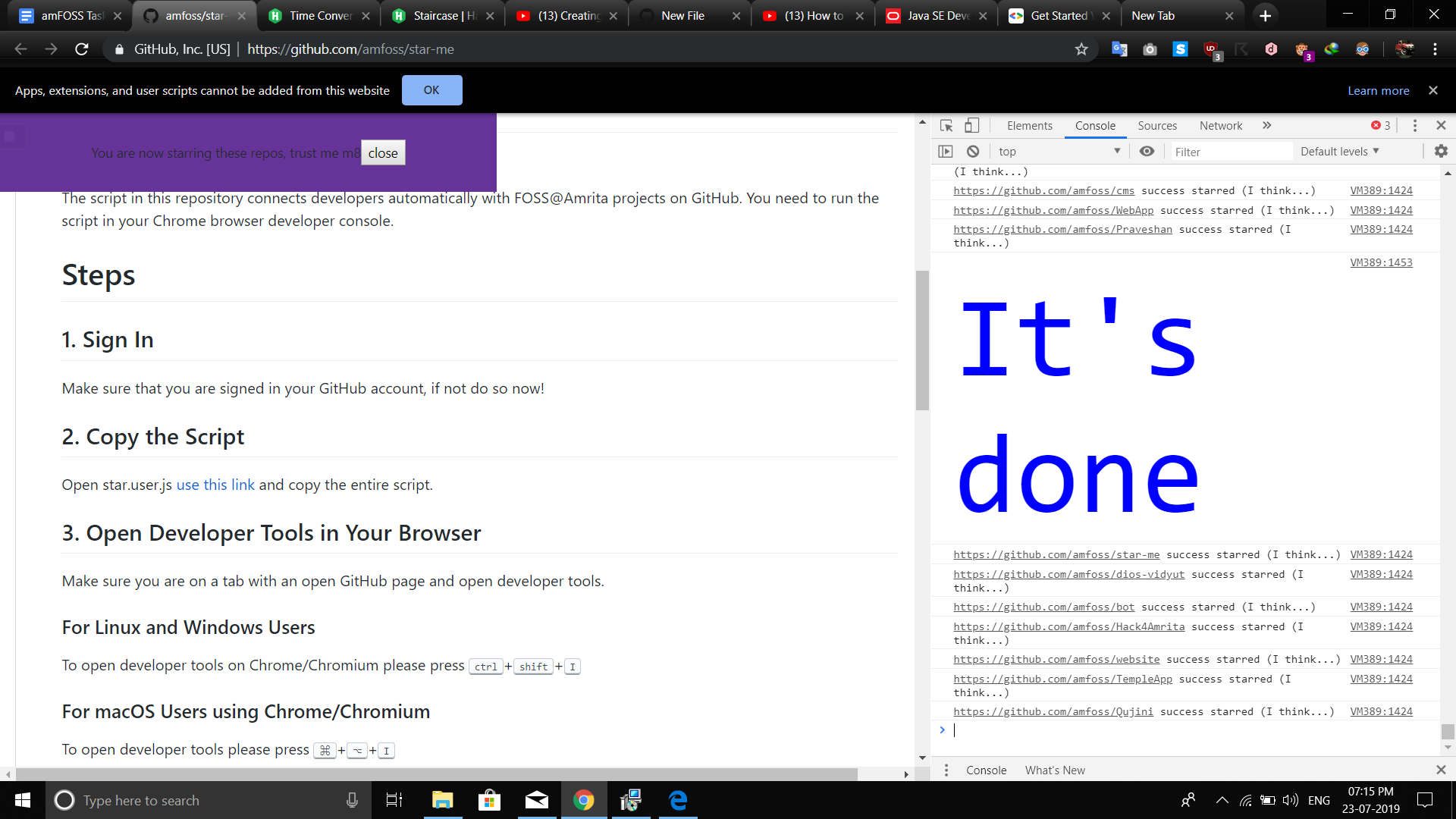
Instructions were quite clear so i followed this repo : https://github.com/amfoss/star-me
In the end you receive the above the screenshot,with a message “It’s Done”.
Task 2: Programming


Following are a few snippets of my answers for the HackerRank Problems:
#include <bits/stdc++.h>
using namespace std;

int main() {

    int a[3],b[3],aScore = 0,bScore = 0;

    cin >> a[0] >> a[1] >> a[2];
    cin >> b[0] >> b[1] >> b[2];

    for(int i = 0; i < 3; i++)
    {
        if(a[i] > b[i])
        aScore++;
        else if(a[i] < b[i])
        bScore++;
    }
    cout << aScore << " " << bScore << endl;
    return 0;
}#include <bits/stdc++.h>
using namespace std;
int main()
{
int i,n,j,z;
cin>>n;
for(i=1;i<=n;i++)
{
for(z=1;z<=n-i;z++)
{
cout<<" ";
}
for(j=1;j<=i;j++){
cout<<"#";
}
cout<<" "<<endl;
}
return 0;
}#include <bits/stdc++.h>
using namespace std;
int main(){
int i;
int n;
int max=0;
cin>>n;
int a[n];
int count=0;
for(i=1;i<=n;i++){
cin>>a[i];
if(max<a[i])
max=a[i];
}
for(i=1;i<=n;i++)
if(a[i]==max)
count++;
cout<<count;
return 0;
}#include<iostream>
using namespace std;
int main()
{
int h,m,s;
char cr,ch;
cin>>h>>cr>>m>>cr>>s>>ch;
if(h==12 && ch=='A')
{
cout<<"00"<<":"<<m<<":"<<s;
return 0;
}
if(ch=='P')
h=h+12;
if(h<10)
cout<<"0"<<h<<":";
else
cout<<h<<":";
if(m<10)
cout<<"0"<<m<<":";
else
cout<<m<<":";
if(s<10)
cout<<"0"<<s;
else
cout<<s;
return 0;
}int main()
{
int N,lsum=0,rsum=0;
cin>>N;
int a[N][N];
for(int i=0;i<N;i++)
{
for(int j=0;j<N;j++)
{
cin>>a[i][j];
if(i==j)
{
lsum+=a[i][j];
}
}
}
for(int i=0;i<N;i++)
{
for(int j=N-1-i;j>=0;)
{
rsum+=a[i][j];
break;
}
}
cout<<abs(lsum-rsum)<<endl;
return 0;
}View my GitHub Repository for all the answers: Click Here
Task 8: Captcha Breaking

Optical character recognition or optical character reader (OCR) is the mechanical or electrical conversion of images of typed, handwritten or printed text into machine-encoded text, whether from a scanned document, a photo of a document, a scene-photo or from subtitle text superimposed on an image.Here’s how i managed to solve:
- Took a screenshot of the expression typed out in MS Word using the Snip tool. Converted the screenshot into PNG format.
- Installed pytesseract for python,which reads text from images i.e OCR .Python Imaging Library (PIL) needs to be installed.
- Install Google Tesseract OCR .
- Followed the instructions given here: https://github.com/madmaze/pytesseract
- Here’s the link to my repo including my code: Click Here
Task 9:Setting Up a Simple Personal Website

I made my personal website by forking Jekyll Now, which is an open source website generator, developed by Barry Clark.However I have not edited or written anything.
Here’s my forked Github repository: https://github.com/tbagz104/akshayhari.github.io
Website: https://akshayhari.github.io/
Task 10: CS50

This one is a must watch for a beginner.You get to know what Computer Science is all about and how the computer interprets information given by the user.Video lectures are available for most of the computer languages.This is very informative.
Task 14: Bandit

If you want to learn Linux from absolute scratch,i recommend this game.It’s really helpful if you want to learn bash and terminal commands.I’ve completed upto level 10.
View my GitHub for Passwords: Click Here
 Akshay Hari